
Insights
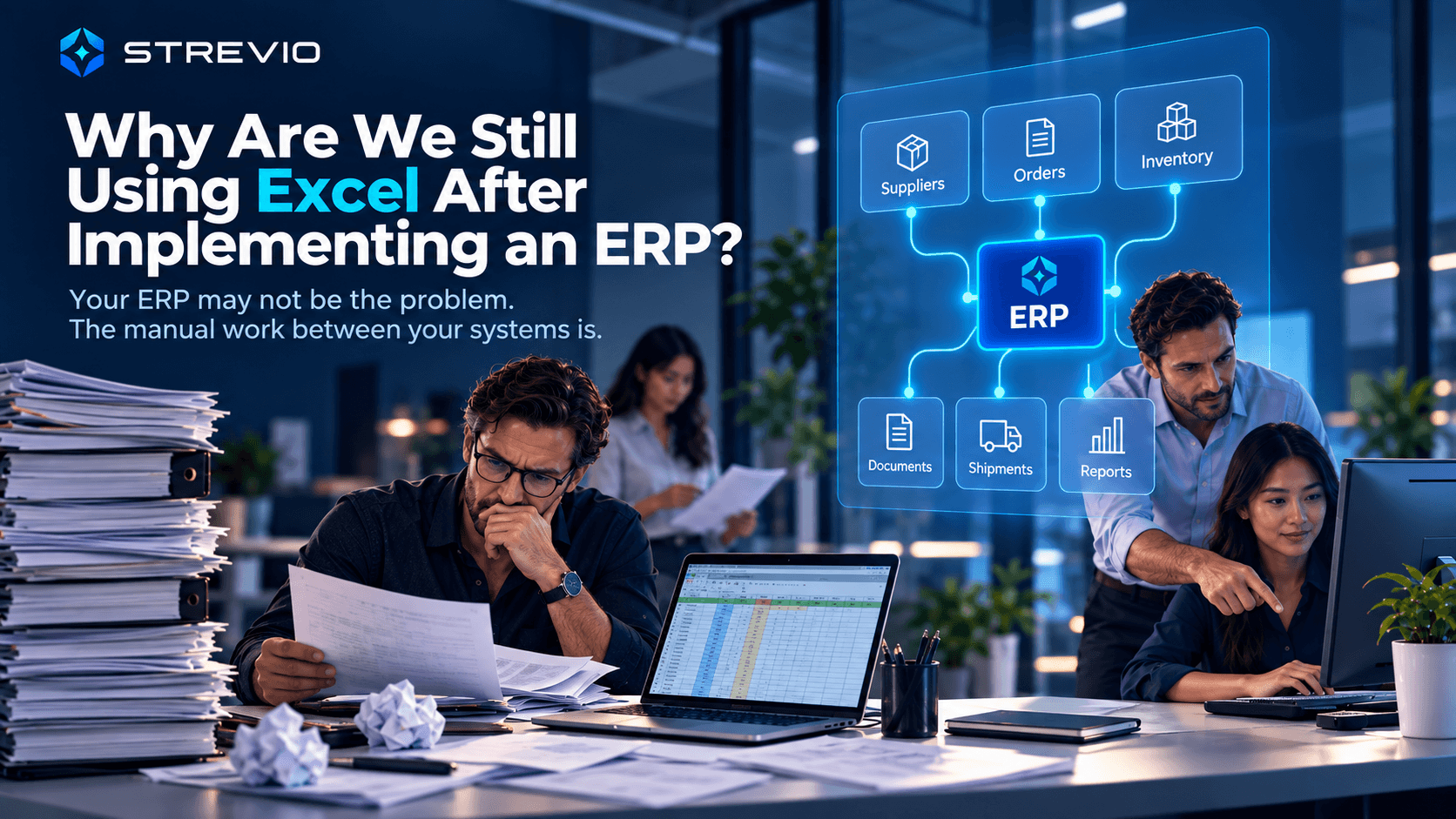
Why Are We Still Using Excel After Implementing an ERP?
Your ERP may not be the problem. The manual work happening between your systems is.
In This Article
- The ERP is not the problem we are trying to solve
- Why does Excel come back after implementing an ERP?
- The ERP records transactions. Operations asks questions.
- The outside world does not live inside Odoo — or any ERP
- 7 signs Excel has become operational infrastructure
- Do we need a different ERP?
- A real example: the ERP was already there
- Odoo Automation: What Should You Automate Inside Odoo, and What Should You Connect Around It?
- "Can't we just automate the Excel file?"
- Don't automate the spreadsheet before understanding why it exists
- When does Excel automation make sense?
- Excel can sit on top of the business. It shouldn't have to sit underneath it.
- Odoo automation should extend the value of Odoo, not recreate the business in Excel
- Five questions to ask before automating another spreadsheet
- The goal is not less Excel. And it isn't more software.
- Your ERP may already contain most of the information your business needs
We implemented an ERP. Why are we still running half the business in Excel?
It is a reasonable question. For many SMEs we speak to, that ERP is Odoo.
- The sales order is in Odoo
- The purchase order is in Odoo
- Customers and suppliers are in Odoo
- Products and inventory are in Odoo
- Invoices are in Odoo
Yet somebody still exports a spreadsheet every morning.
- Procurement has an Excel file for outstanding orders
- Operations maintains another one for stock
- Sales has a tracker for customer commitments
- Management receives a report somebody manually rebuilds every Friday
And when a customer asks "When will my order arrive?", someone still has to check several places and ask two colleagues before giving an answer.
That is often the moment companies start looking for Odoo automation, ERP integration, or some way to automate the spreadsheets around the system. But before automating anything, there is a more useful question: why does all of this manual work still exist? Quite often, nothing is fundamentally wrong with the ERP. The real problem is the amount of human effort required to connect what happens inside the ERP with everything happening around it.
The ERP contains the transactions. Your people are still reconstructing the operational reality.
That is the gap worth fixing.
The ERP is not the problem we are trying to solve
Whether a business runs Odoo, SAP Business One, NetSuite, Microsoft Dynamics, Oracle or another ERP, the principle is similar. The ERP gives the business structure — a proper place for:
- Sales orders
- Purchase orders
- Customers
- Suppliers
- Products
- Inventory
- Invoices
- Payments and other core business records
Odoo is especially relevant to the SME businesses STREVIO targets, so we use it frequently as an example throughout this article. But the underlying problem is not Odoo-specific — it is the operational friction that develops between systems, people and external information.
- A supplier sends an Excel file
- A factory changes a production date by email
- A freight forwarder sends another status
- A warehouse operates in another system
- Some stock sits at a supplier
- A commercial invoice arrives as a PDF
- A customer changes a quantity
The ERP cannot magically understand every external event unless that information and workflow have been connected to it. So somebody does it manually. That somebody becomes the integration layer — and that is where operational capacity starts disappearing.
Why does Excel come back after implementing an ERP?
Because Excel is an excellent business tool. There is no point pretending otherwise.
- It is fast, flexible and familiar
- You can create a calculation in minutes
- You can reorganise information however you want
- You can investigate a problem without waiting for a developer
- You can model different scenarios until you get the answer you actually need
So when the ERP does not immediately provide the exact view someone wants, the natural response is:
Put it in Excel.
Initially, that may make complete sense. The problem is what happens afterwards. The temporary spreadsheet gets updated tomorrow, and the day after. Another employee starts using it. Another tab appears. Supplier information gets added. Then formulas, then macros, then an import, then an automation that updates the workbook, then another automation that pushes information back into the ERP. Six months later, the spreadsheet that started as a useful workaround has quietly become part of the company's operational infrastructure. Nobody deliberately decided to build a second ERP in Excel. It simply happened.
The ERP records transactions. Operations asks questions.
This distinction explains a lot. The ERP says "Purchase Order 12457" — operations asks whether the supplier actually confirmed everything. The ERP says "Sales Order 8934" — operations asks whether the business can still promise Friday. The ERP says "Stock: 1,200 units" — sales asks how much of that stock can genuinely be promised. The ERP says "Shipment expected Monday" — management asks which customers are affected if it slips to Friday.
The structured transaction is only one part of the operational picture. People also need to understand:
- Supplier commitments
- Incoming shipments
- Customer promises
- External stock
- Documents
- Backorders
- Exceptions and events happening outside the ERP
When those pieces do not connect automatically, employees connect them themselves — usually with Excel, email, copy-paste and follow-up.
The outside world does not live inside Odoo — or any ERP
This is especially obvious in trading, wholesale and manufacturing businesses. A supplier may send a packing list in Excel. Another sends a PDF. The factory communicates over email. The forwarder has another portal. A third-party warehouse has its own records. Dropshipping stock sits elsewhere. A supplier ships only part of an order. A customer changes a delivery requirement.
Someone then has to connect that external reality with the structured information already inside the ERP. The workflow becomes: open email, download attachment, open Excel, check supplier reference, search the ERP, compare quantity, recalculate remaining balance, update spreadsheet, update ERP, tell sales, follow up tomorrow. Your employee has effectively become the connection between software systems.
We already have the ERP, but people are still copying everything from Excel.
The consequences include duplicated effort, data-entry errors, slower processing and reduced operational capacity. The issue is not simply that the company is using Excel — it's what people are having to do with Excel every day to keep the operation working.
7 signs Excel has become operational infrastructure
Using spreadsheets beside an ERP is not automatically a problem. What matters is the responsibility being given to the spreadsheet.
1. You export ERP information into Excel every day
An occasional export for analysis is normal. A daily export required to operate the business is different. If someone's morning routine begins with download, clean, reformat, recalculate, update — the spreadsheet is probably compensating for an operational gap. Instead of asking how to automate the export, first ask why the information needs rebuilding every morning.
2. Several departments maintain different versions of the same information
Procurement has one workbook. Operations has another. Sales has another. Finance has something else. Then someone asks: "Which one is correct?" At that point, the problem is no longer spreadsheet convenience — it is operational truth.
3. People export information from the ERP and later put it back
This is one of the strongest signals. The ERP contains the data. Someone exports it, changes it, calculates something, then manually copies or uploads the result back. Duplicate work and error risk remain even though the company has already invested in a structured ERP. The employee is acting as the bridge between systems, and that is usually worth investigating.
4. Nobody trusts stock without checking another file
The stock in the system is not the real stock.
The ERP says 600 units available. Someone replies, "Wait, let me check the Excel." The issue is no longer simply inventory accuracy — it is trust. Teams then manually reconcile information before committing to customers, creating risks around wrong promises, inventory mistakes and working-capital leakage.
5. Management reports have to be rebuilt
Every time I want the numbers, someone has to build me a report.
The owner asks for outstanding orders, late suppliers, backorders, committed stock — and somebody replies, "I'll prepare the report." The information exists; it just isn't immediately usable. Somebody has to reconstruct the operational picture before management can see it.
6. A customer question triggers an internal investigation
A customer asks for a delivery-date confirmation. Customer service checks the ERP, then asks operations, operations asks procurement, procurement checks the supplier, somebody checks stock, someone checks the spreadsheet. One customer question has created work for several people. The data may already exist — the problem is that nobody has the complete answer in one place.
7. Problems become visible only because somebody checks
Supplier late, order missing, quantity wrong, stock inconsistent, customer commitment at risk — how does the business discover it? If the answer is "someone checks the spreadsheet every morning," that employee is effectively the monitoring system. A better operating model lets normal work continue while exceptions are detected automatically, and humans get involved only when something genuinely requires judgment.
Do we need a different ERP?
Not necessarily. Sometimes an ERP genuinely needs changing, but the existence of spreadsheets is not enough evidence by itself. Instead, ask:
- What information remains outside the ERP?
- What information is already inside it but difficult to use operationally?
- What calculations are being repeatedly performed elsewhere?
- Which supplier, warehouse or logistics information is disconnected?
- Which processes cross several systems?
- Where are employees copying information?
- Which events should trigger something automatically?
- Which exceptions should immediately reach the responsible person?
What manual reconstruction remains between the systems the company already uses?
A real example: the ERP was already there
International trading company across multiple markets
“The information existed somewhere. The team just had to find it, check it and rebuild the answer.”
One international trading company we worked with already had an ERP managing its core transactions — international suppliers, customer orders, stock, backorders, dropshipping and logistics across several markets. The ERP existed. The operational work around it was the problem.
Data was exported and processed manually in Excel. Remaining quantities were recalculated. Backorders and pending orders were checked individually. Supplier-held and dropshipping stock was manually reconciled. Supplier invoices were matched against stock records. Shipped quantities had to be deducted. Operational views and management tables were repeatedly rebuilt, and exceptions became visible only because someone checked.
STREVIO connected the information and workflows around the systems the company already used. ERP data, existing Excel logic, supplier-held stock information and supplier invoices were brought into one structured operational workflow, so remaining quantities, backorder monitoring, invoice matching and stock reconciliation could happen without the same manual intervention.
Measured Results
- 50–60% less time spent manually rebuilding and maintaining the operational workflow
- Supplier-invoice reading, stock matching and shipped-quantity deductions became automated
- One shared live view across customer orders, backorders, remaining quantities and operational exceptions
The ERP was not the problem. The manual reconstruction around it was what needed to disappear.
Read the full International Trading storyOdoo Automation: What Should You Automate Inside Odoo, and What Should You Connect Around It?
This is where an Odoo automation strategy should begin — not with the assumption that everything needs another platform, and not with the assumption that every spreadsheet needs to be turned into an automated spreadsheet. Start with Odoo itself.
Odoo already supports automation rules based on record updates, dates, incoming events and other conditions. Those rules can update or create records, create activities, send communications, execute actions and send or receive webhook-based information. So if a requirement can be handled cleanly with native Odoo automation, that is often a sensible place to solve it — an activity after a status change, a notification when a condition is met, a scheduled action, or an update to a record.
But not every operational process stays inside Odoo. The challenge changes when the workflow includes supplier documents, external warehouse information, freight data, supplier-held stock, customer information from another system, special company-specific calculations, emails, files, or several business systems at once. At that point, Odoo automation becomes partly an integration problem — the question is no longer "what can Odoo automate?" but "what needs to happen across the entire process, and which part should Odoo own?"
The objective is not to automate around Odoo because Odoo is deficient. It is to make the operational environment around the ERP work as one system.
What about Odoo Spreadsheet?
It is worth distinguishing a disconnected Excel workbook from a spreadsheet connected directly to the ERP. Odoo Spreadsheet allows lists, pivot tables and charts to be connected to underlying Odoo data through dedicated data sources that update from the database rather than becoming simple static exports — very useful for reporting, management views, pivoting, analysis and dashboards. The spreadsheet interface itself is not the problem; the problem is when business-critical operational state becomes disconnected from the underlying systems and has to be manually maintained elsewhere. That's a very different issue.
"Can't we just automate the Excel file?"
This is where companies sometimes take the next wrong turn. They identify the problem — "we're doing too much manually in Excel" — and the proposed answer becomes:
Let's automate Excel.
For certain tasks, that's perfectly reasonable. Excel automation can be excellent for calculations, data cleaning, report preparation, file transformation, personal productivity, or temporary tools. But there is a major difference between automating a spreadsheet and building a business-critical operational process around a spreadsheet. The more users, transactions, systems and exceptions involved, the more important that distinction becomes.
Excel automation can make Excel faster. It does not turn Excel into an operational system.
Imagine your backorder workbook has been automated and calculates remaining quantities automatically. Now ask: where is the source of truth — the ERP, the spreadsheet, or the supplier file? What happens when they disagree? What happens when two employees edit the file simultaneously, or an automation is writing while somebody else is working in it? What happens if an update fails halfway through, or a supplier delay needs to affect multiple purchase orders, available stock and customer commitments at once? You can keep adding engineering, but eventually there is a very basic question:
Are we fixing the process, or are we engineering increasingly sophisticated ways to keep Excel in the middle of it?
1. Concurrent operational activity is a real Excel automation limitation
Microsoft's own documentation for the Excel Online Business connector states that simultaneous modifications to the same Excel file from multiple clients are not supported, and specifically advises against concurrent writing from Excel Desktop, Excel Web, Power Automate, Logic Apps and Power Apps because it can create merge conflicts and data inconsistency. A business-critical operational system needs to handle concurrent activity reliably from sales, procurement, operations, automated processes and other employees at once — a workbook fundamentally remains a file, and a file becomes an awkward centre of operations once many people and systems need to interact with it simultaneously.
2. Excel automation has locking and update behaviour to work around
6 minutes
an Excel file can remain locked for an update or deletion after its last use through the Excel Online Business connector
Microsoft Learn
For a monthly report, that may be irrelevant. For a live operational process involving stock, customer orders or several automated steps, it can matter. The closer Excel gets to the centre of a live business process, the more engineering effort is required to manage behaviours that don't matter when Excel is simply being used as a spreadsheet.
3. Excel automation has execution and volume limits
25 MB
current workbook size limit supported by the Excel Online Business connector, which can also throttle requests when service or workbook queues become overloaded
Microsoft Learn
Office Scripts and Power Automate are powerful but bounded: Microsoft currently limits Office Scripts requests and responses to 5 MB, individual ranges to five million cells, and each user to 1,600 Run Script actions per day through Power Automate. Synchronous Power Automate operations have a 120-second timeout, after which longer processes need to be optimised or divided into several script calls. None of this makes Excel unautomatable — but the more engineering required to make Excel behave like an operational platform, the more reasonable it becomes to ask why Excel is still the operational platform.
4. VBA can automate the task without removing the dependency
A good macro can turn hours of repetitive spreadsheet manipulation into one click. But imagine an important workflow depends on a heavily macro-driven workbook plus a person who understands how everything works — has the company removed its dependency, or simply moved it? Microsoft confirms VBA macros cannot be created, run or edited in Excel for the web; they need the desktop Excel environment. So the company may move from "Sarah knows how to update the spreadsheet" to "Sarah knows how the automated spreadsheet works." That is improvement, but not necessarily operational resilience.
5. Integrating Excel with external systems adds more architecture
Most operational processes don't end inside a spreadsheet — they involve Odoo or another ERP, warehouses, supplier systems, logistics platforms, databases, document services or external APIs. Office Scripts have an important limitation here: Microsoft states that external API calls from the script using fetch fail when run through Power Automate, so external communication has to be handled through other Power Automate actions. The architecture can gradually stretch from ERP → Power Automate → Excel → Office Script → another Power Automate action → external service → Excel → ERP. Entirely possible — but eventually worth asking why Excel still needs to sit in the middle.
6. A spreadsheet automation is not the same thing as managing a business process
An automated spreadsheet can read a supplier invoice's values. But the actual operational workflow — identify supplier, identify PO, compare quantities against stock already received, identify discrepancies, update ERP records, decide whether stock needs adjusting, notify the responsible person, preserve the exception, wait for resolution, continue — is bigger than reading values faster. The business needs to know what happened, what the current situation is, what failed, who is responsible and what happens next. That is the difference between automating a task and managing an operation.
7. Excel's greatest strength can become a weakness when it turns into infrastructure
Excel is wonderfully flexible for humans — rename a sheet, insert a column, move a table, change a formula, duplicate a workbook. For normal spreadsheet use, that flexibility is extremely valuable. Automation needs more predictability: a certain sheet, table, column, range or structure. You can lock things down, add controls, build validation — but notice what's happening: you're progressively restricting Excel's flexibility so the workbook behaves more like structured software.
Excel is extraordinarily flexible as a tool for people. That same flexibility can make it fragile as operational infrastructure.
Don't automate the spreadsheet before understanding why it exists
Someone asks, "Can you automate this Excel file?" Before answering, ask why the file exists. Maybe supplier stock isn't connected to the ERP. Maybe a warehouse operates elsewhere. Maybe management needs a specific calculation the ERP doesn't provide. Maybe the spreadsheet was originally a temporary workaround that became permanent. If you automate the workbook before understanding the underlying reason for it, you risk creating a faster, more sophisticated version of the same workaround — the spreadsheet gets better, but the operational gap remains.
When does Excel automation make sense?
There are many situations where it does. Excel is excellent for:
- Ad-hoc analysis
- Financial modelling and scenario planning
- One-off calculations and temporary investigations
- Data exploration and prototypes
- Personal productivity
- Many reporting tasks
There is no reason to turn every spreadsheet into a software project. The question isn't "should we stop using Excel?" — it's "what responsibility are we asking Excel to carry?"
Excel can sit on top of the business. It shouldn't have to sit underneath it.
Excel can sit on top of the business for analysis. It shouldn't have to sit underneath it holding the business together.
Use Excel on top for analysis, modelling, forecasting, reporting, presentation and exploration. Be much more cautious when it sits underneath and becomes responsible for the real stock position, customer promises, live purchase-order status, backorders, supplier commitments, critical workflow state, or keeping several business systems synchronised. At that point, Excel is no longer simply helping somebody understand the business — it is helping hold the business together. That is a very different responsibility.
Odoo automation should extend the value of Odoo, not recreate the business in Excel
For an Odoo-based SME, the starting point is straightforward: use the native Odoo capabilities that already solve the requirement, then identify what still sits around Odoo — supplier information, external stock, logistics, documents, special calculations, customer commitments, other software, or workflows involving several systems. That is where additional Odoo workflow automation and integration can create significant operational value.
The objective should not be to recreate Odoo in Excel, or to bolt more tools onto the business simply because automation sounds attractive.
Make the information and workflows the business already depends on work together with less human reconstruction.
And if the business runs SAP Business One, NetSuite, Dynamics or another ERP, the same logic applies. STREVIO is system-agnostic — the technology already embedded in the business is the starting point, not something we automatically replace.
Five questions to ask before automating another spreadsheet
1. Which spreadsheet gets updated every day?
Daily maintenance is usually the strongest sign the workbook has become part of the operation.
2. What information do we repeatedly export from the ERP?
Repeated exports often reveal a view, calculation or workflow employees continuously have to rebuild.
3. What information do we later copy back into the ERP?
This identifies where employees are acting as the connection between systems.
4. Which report does management repeatedly ask someone to reconstruct?
That tells you where the company has data but not usable operational visibility.
5. Which basic operational question requires checking several places?
What is still missing? Which customer is affected? What stock can we actually sell? Did the supplier confirm? What needs attention today? If a simple question requires an investigation, there is usually capacity to recover.
The goal is not less Excel. And it isn't more software.
The real question is what your people spend their time doing. If employees spend hours exporting, copying, checking, reconciling, formatting, chasing, updating and rebuilding information, that capacity is not available for customers, suppliers, commercial decisions, problem solving, planning or growth.
This is what STREVIO means by Operational Capacity: the ability to handle more customers, orders and work without proportionally increasing people, cost or complexity. Odoo or another ERP can provide the backbone. Excel can remain an excellent business tool. Your other systems can continue doing what they do well. But your people should not need to spend the day manually holding all of them together.
You may already have most of the software you need. The opportunity may simply be to make the systems, information and workflows you already have work together properly.
Your ERP may already contain most of the information your business needs
The better question is how much manual work your team is still performing around it. If you use Odoo or another ERP but still depend on Excel trackers, manual reports, copied data, repeated checking or disconnected operational information, you do not necessarily need another major software implementation. First, understand where your Operational Capacity is going.
Scale your business before you scale your payroll.
Not Sure Where Your Business Is Losing Capacity?
That's Exactly What This Is For
When you work inside a business every day, inefficient workarounds stop looking like workarounds — they simply become “the way we do things.” That's exactly why we built the STREVIO Free Operational Capacity Assessment: a self-service, 3-minute check with no consultation and no technical knowledge required, giving you a first view of where your business may be losing time, profitability and visibility, and where to look first.
Take the Free Operational Capacity AssessmentFrequently Asked Questions
Why do companies still use Excel after implementing an ERP?
Because ERPs and spreadsheets solve different immediate needs. An ERP provides structured business information and transactions, while Excel allows people to rapidly analyse, combine, calculate and reorganise information. The problem appears when spreadsheets move beyond analysis and become necessary to run recurring operational workflows every day.
What is Odoo automation?
Odoo automation means reducing repetitive operational work using Odoo's native automation capabilities and, where necessary, connecting Odoo to external information or systems. Native automation can handle actions triggered by database changes, timing conditions or external events; workflows extending into supplier documents, external stock, logistics or other systems may need additional integration.
Can STREVIO automate workflows around Odoo?
Yes. STREVIO works with operational workflows that extend around Odoo, including supplier information, external stock, backorders, logistics data, documents, reporting and other systems. The objective is to extend the operational value of Odoo and remove manual reconstruction around it, rather than replace the ERP unnecessarily.
Does STREVIO only work with Odoo?
No. STREVIO is system-agnostic. Odoo is particularly relevant to the SME market we target, but the same approach can be applied around SAP Business One, NetSuite, Microsoft Dynamics, Oracle and other ERP systems — the principle is always to connect the systems and information the business already relies on.
Is using Excel alongside Odoo a problem?
No. Excel can be highly useful alongside Odoo for modelling, reporting, temporary calculations and analysis. The warning sign is when people must continuously keep Excel and Odoo synchronised manually, or when business-critical operational information exists only inside a separate workbook.
Can I simply automate my existing Excel spreadsheets?
Sometimes. For calculations, reporting, data preparation and isolated repetitive work, Excel automation can be very effective. For operational processes involving multiple users, systems, frequent updates and exceptions, automating the workbook does not necessarily solve the underlying process problem.
What are the limitations of Excel automation with Power Automate?
Microsoft documents several limitations relevant to operational use: simultaneous writes to the same workbook from several clients are not supported, files can remain locked after connector use, the Excel Online Business connector currently supports workbooks up to 25 MB, and the service can throttle requests under certain conditions. Office Scripts also have data-transfer, execution-volume and timeout limits when used through Power Automate.
Is VBA suitable for business automation?
VBA can be very effective for automating desktop Excel tasks, though Microsoft confirms VBA macros cannot be created, run or edited in Excel for the web. The important business question is whether the VBA solution removes dependency on a person and a file, or simply creates a more sophisticated workbook the company now depends on.
How do I know Excel has become too important to our operations?
Typical warning signs include daily manual updates, several departments relying on the same workbook, critical information existing only in Excel, repeated imports and exports between Excel and the ERP, customer commitments depending on spreadsheet information, and workflows that stop when a particular workbook or employee is unavailable.
What does STREVIO do?
STREVIO helps SMEs recover Operational Capacity by connecting the systems and information they already use, improving operational visibility and removing repetitive work — including Odoo or another ERP, supplier information, stock, documents, orders, reporting, logistics and other workflows currently held together through Excel, email and manual coordination.
About The Author
Alexandre Besson
Co-Founder & Chief Business Strategist, STREVIO
After more than 20 years running operations across Europe and Asia, Alexandre focuses on helping SMEs remove the manual coordination, information gaps and repetitive work that make businesses harder to run as they grow. STREVIO helps businesses recover Operational Capacity by connecting the systems and information they already use, improving operational visibility and orchestrating workflows so existing teams can handle more business without adding people, cost and complexity at the same rate.